PhotoModeler | PhotoModeler Automation | PhotoModeler Scanner | Add-On Modules | Accessories | Training Courses

Main Features | Special Features | How It Works | Upgrade Info | About Cameras | Real World Examples
title
 
Main Features

PhotoModeler helps you create accurate, high-quality 3D models and measurements from photographs using your own camera.

Take the PhotoModeler Tour to discover how you can measure and model real world objects and scenes for your next project. Click here to order PhotoModeler.

Do you wonder which product, PhotoModeler, PhotoModeler Automation, or PhotoModeler Scanner, is the best match for your application? To help you decide, a comparison is shown on the Products home page.

The new features in our most recent release, PhotoModeler 6, are described on the What's New in PhotoModeler 6 pages.

PhotoModeler is loaded with powerful and useful features to help you measure and model productively!

  • Easy to Use and Learn: Includes an advanced Windows user interface, Wizards for easy project set-up, extensive multimedia tutorials (over 4 hours playing time!), printed user guide, and extensive on-line help.
  • Modeling Tools: Create models using PhotoModeler's Point, Line, Curve, Edge, Cylinder, and Shape marking tools.
  • Surface Tools: Add surfaces to features defined by Points, Lines, Curves, and Edges. Create NURBS Surfaces from Lines, Edges, and Curves.
  • Photo-textures: Add photo-textures and colors to surfaces. Export textures with 3DS, OBJ, VRML, and 3DM.
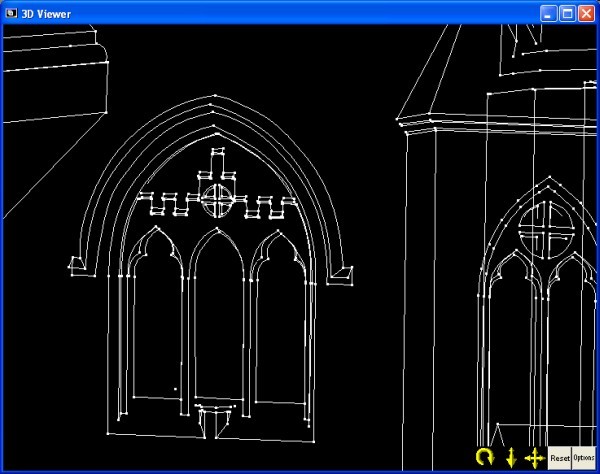
  • 3D Viewer: View, measure, select objects, and interactively rotate the created 3D models with full photo-textures.
  • Measurement Tools: Perform point, distance, length and area measurements right within PhotoModeler.
  • Photograph Handling: Work with any number of photographs, add new photographs at any time, and import many different image formats. * Image Control: Use extensive Zoom Tools for accurate sub-pixel marking, Photo Rotate for easier viewing, and Image Enhancement for increased visibility.
  • Photo-Projections: Check project quality by projecting 3D data onto your photos.
  • Camera Support: Use images from digital, film, or video cameras. Automatic Camera Orientation determines the position of the camera when the image was taken. Use different cameras in the same project.
  • Scale/Rotate/Translate: This feature provides you the ability to apply proper scale to your project and set your model in the proper coordinate system for exporting.
  • Export Capabilities: Export your model to Autodesk DXF (2D and 3D), 3D Studio 3DS, Wavefront OBJ, VRML (1&2), IGES, OpenNURBS/Rhino, StereoLithography STL, RAW, Maya Script, Max Script, FBX, and Google Earth’s KML and KMZ. See the exports page.
  • Camera Calibrator: Accurately measure your camera's focal length, principal point, digitizing aspect ratio and lens distortion.
  • Customizable Interface: Control the layout and appearance of your PhotoModeler screen. Customizable items include toolbars, short cut keys, and colors for items such as 3D objects, Projections, and the 3D Viewer.

And there is much, much, more! Please view the Special Features page for more details. You can also view our PhotoModeler brochure (5.3MB pdf) for other information on PhotoModeler.

^ Back to top


Home | About Us | Products | Applications | Support | FAQ | Contact Us | Privacy Policy
© 2009 Eos Systems Inc. | Website designed by Graphically Speaking